Zipped up files are a thing of the past
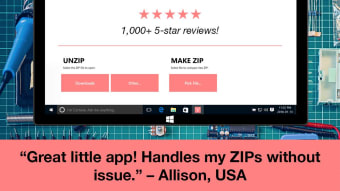
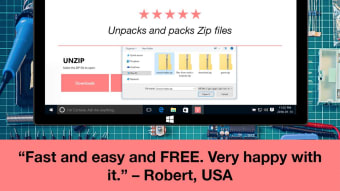
Zip Opener is an app by Canada-based Tiny Opener that serves to allow people to "unzip" and access files in a huge variety of formats, similar to its most well-known competitors WinRAR and WinZIP. Zip Opener is "made for normal people, not nerds": one tap is all it takes to unzip a file.
Top Recommended Alternative

High speed, low endurance: the cheetah of zip file apps
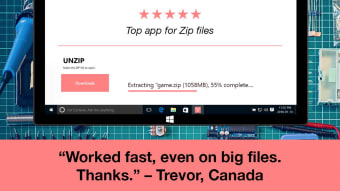
As noted, the app is incredibly easy to use: drag-and-drop, one tap – however you want to unzip your files, the app works and does it well. On files below 100 megabytes or so in size, you might miss the progress bar if you blink – it's that fast. The number of formats it handles is stellar, as well: it handles all of the most common formats, such as ZIP, RAR, 7z and others.
Unfortunately, it does struggle in one area: very large zipped files (1 gigabyte or more) can fail to open. Best to try again!
Truly good service, false advertising
It bears noting that Tiny Opener has been a presence on the app's page, with no sign of stopping. If you leave a review of any kind, positive or negative, they will reply, with scant few exceptions. This is huge for any app, in this case it's even a reason to try it: if you have problems with the app, whether they were mentioned by this review or not, you can talk directly to the developers, and they'll offer to help fix the problem.
Unfortunately, this goes hand-in-hand with one of the app's biggest flaws. The app claims to be free of junk, spam and toolbars, and this is strictly true. But while using or installing the app, you may be prompted to install other apps, some of which are not free. While these apps have their own utility, it's an unwelcome experience to have this kind of thing happen. Many users don't experience this, though, and in our testing, not every use of the app will cause this.
Similarly bizarre is the app's "in-app purchases". Some of the functionality advertised and even mentioned in this review is locked behind in-app purchases. If you unzip a file of a specific format, for example, you may or may not have it appear in your Downloads folder, followed by Zip Opener asking you to purchase the functionality needed to open it.
All of this does not directly contradict anything Tiny Opener has claimed, but it does stretch the truth. Hopefully, their stellar service will result in changes over time.
Buyer, be aware
Overall, Zip Opener is a great app for what it does: it unzips files in one tap, often working fast enough it's hard to benchmark. Add to this the stellar service shown on its store page, and you'd normally have a winner. But while the app is "free", and doesn't include certain annoyances, for some users it behaves in ways that you should keep in mind before you commit to using it. At least, unless you have change to spare or until Tiny Opener makes the app even better.